Adopt the workflow staff already know
Teams create the referral beside the patient chart instead of opening another system and rebuilding context.
Capture at the source
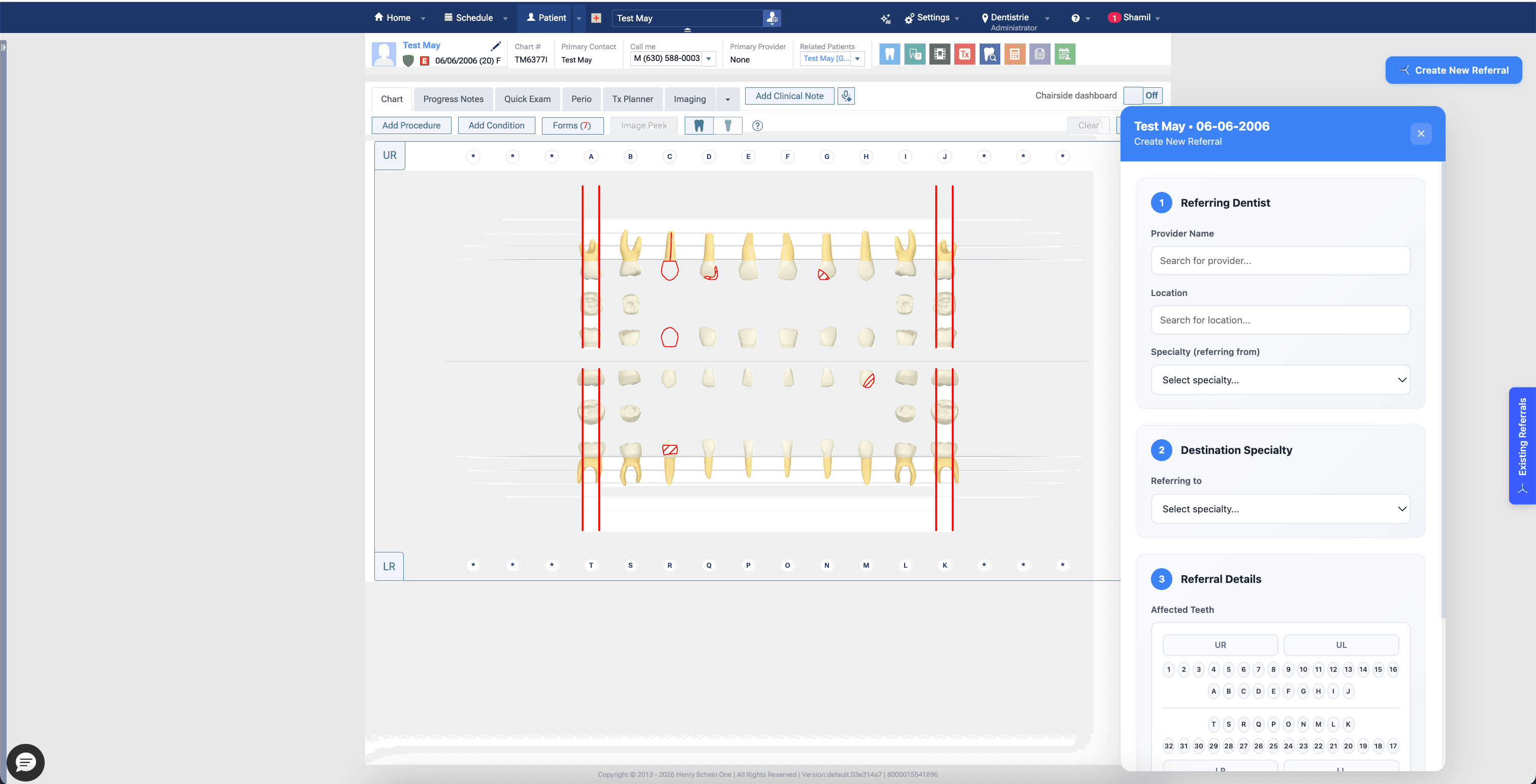
Furca runs alongside the patient chart, carrying the referral context into a trackable workflow before the patient leaves the operatory.
The executive value
The extension turns the recommendation made in the operatory into a structured referral with a destination, status, and next action your team can manage.
Teams create the referral beside the patient chart instead of opening another system and rebuilding context.
Specialty, destination, affected teeth, notes, and patient details travel with the referral record.
The receiving team can see what arrived, what is unscheduled, and what needs attention next.
How it works
Furca creates the operating record that scheduling and analytics use later. Nothing has to be reconstructed from email, notes, or a spreadsheet.
Open Furca while the patient record is already active in Dentrix Ascend.
Select the specialty and destination, then include the clinical details the receiver needs.
The referral enters the appropriate queue so ownership and follow-up stay visible.
What teams can do
Capability 1
Create a structured referral without retyping the patient record.
Designed to reduce duplicate entry and incomplete handoffs.
Capability 2
Send the referral to the intended specialty and receiving location.
Receiving teams see demand in the queue built for their workflow.
Capability 3
Keep referral details, status changes, outreach, and linked appointments together.
Leaders and operators work from the same referral record.
Customer evidence
See how Two Rivers used referral data to identify unscheduled demand and make specialty-capacity decisions.
Questions
No. Furca adds a specialty-referral workflow alongside Dentrix Ascend so teams can keep using their existing practice-management system.
The referral can include the patient context available to the extension, destination specialty and location, affected teeth, notes, attachments, and the ongoing referral history.
It appears in the appropriate Furca work queue where the responsible team can schedule, document outreach, update the outcome, and link the relevant appointment.
We’ll map your current handoffs, show the relevant Furca workflow, and identify the operating measures your team should validate.